# 專案管理員

該如何導入openproject，有一些建議

# 啟用模組

專案建立後，需要啟用適合的模組

[![image.png](https://book.kafeiou.pw/uploads/images/gallery/2024-02/scaled-1680-/AYdimage.png)](https://book.kafeiou.pw/uploads/images/gallery/2024-02/AYdimage.png)

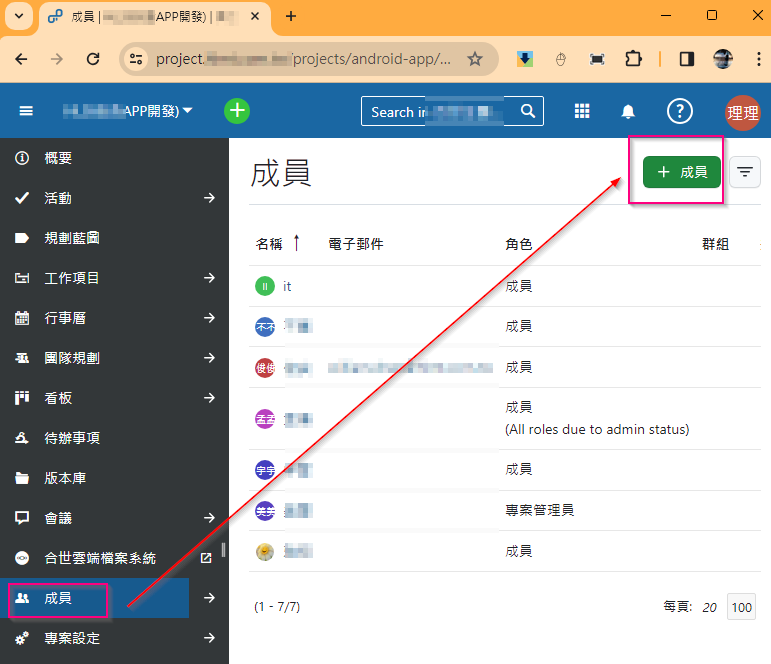
# 加入專案成員、群組

<p class="callout warning">此法該成員會看到所有工作項目，須謹慎考量</p>

[![image.png](https://book.kafeiou.pw/uploads/images/gallery/2024-02/scaled-1680-/JmWimage.png)](https://book.kafeiou.pw/uploads/images/gallery/2024-02/JmWimage.png)

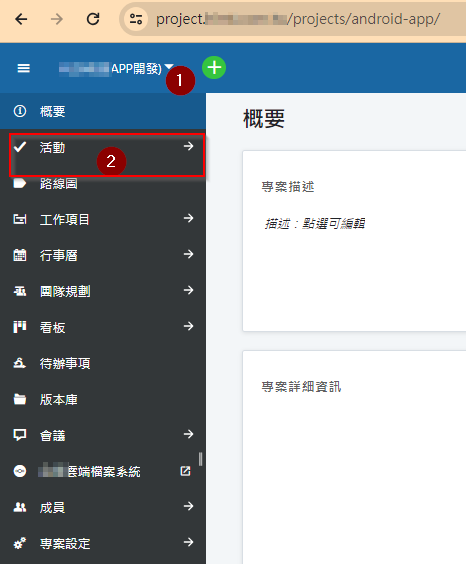
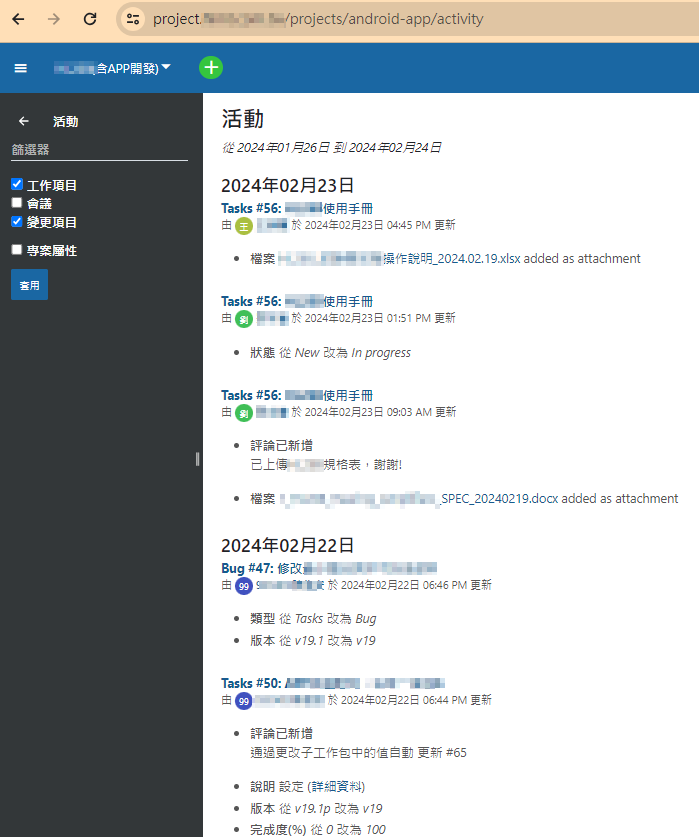
# 查看專案活動

[![image.png](https://book.kafeiou.pw/uploads/images/gallery/2024-02/scaled-1680-/2WZimage.png)](https://book.kafeiou.pw/uploads/images/gallery/2024-02/2WZimage.png)
[![image.png](https://book.kafeiou.pw/uploads/images/gallery/2024-02/scaled-1680-/Z0Uimage.png)](https://book.kafeiou.pw/uploads/images/gallery/2024-02/Z0Uimage.png)
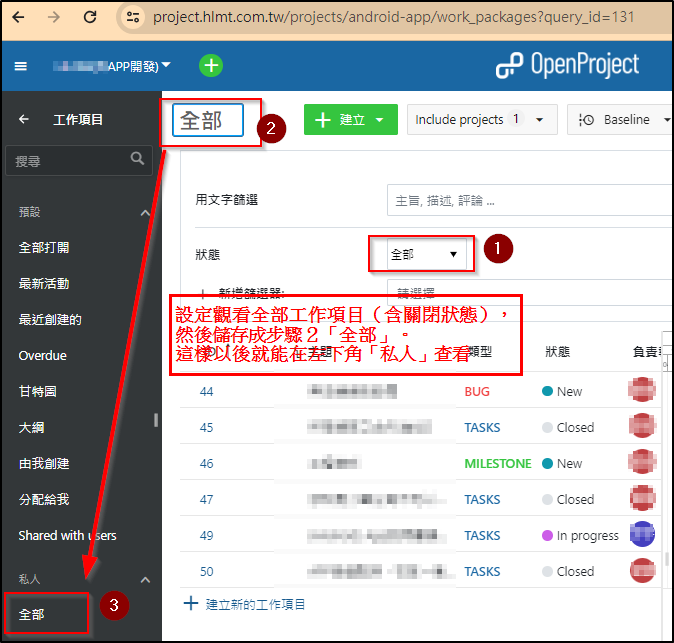
# 自訂工作項目版面

<p class="callout info">使用者可以自訂想要看的版面</p>

[![image.png](https://book.kafeiou.pw/uploads/images/gallery/2024-02/scaled-1680-/sMbimage.png)](https://book.kafeiou.pw/uploads/images/gallery/2024-02/sMbimage.png)

# 指派專案成員工作項目

##### 建立工作項目，並且指派專案成員

# 透過專案系統發布會議

<p class="callout info">透過系統發布會議，系統會自動寄發電子郵件給指定成員，讓專案管理員更能掌握專案進度。</p>